How ShinyFindr works
ShinyFindr is built for the Pokemon card show floor. Here's what each part of the app does and how to get the most out of it.

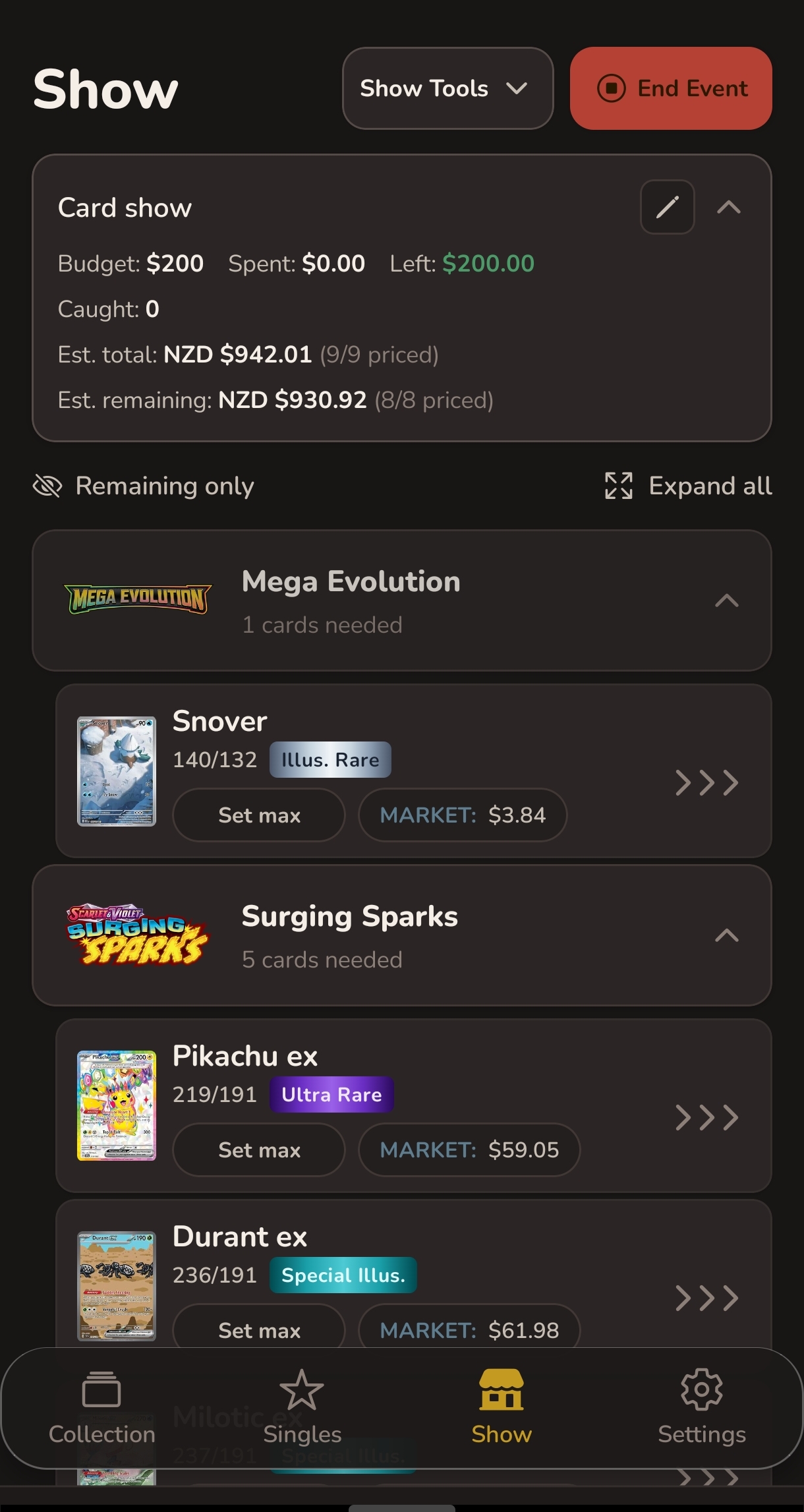
Your show day command centre
Create a show event with a budget and the Show tab pulls everything together - your missing set cards and your singles want list in one place, ready to go.
-
Budget tracker
Set your budget when you create the event. Your remaining spend updates every time you catch a card - no mental maths required.
-
Hunt list
Your missing set cards and singles combined, organised by set. Each card shows your max price and current market price side by side.
-
Swipe to catch
Find a card? Swipe right to catch it. Enter the price you paid and it leaves your list instantly. Your remaining budget updates on the spot.
-
Rarity filter
Filter your list to show only chase cards - the rare and expensive ones worth prioritising at each table.
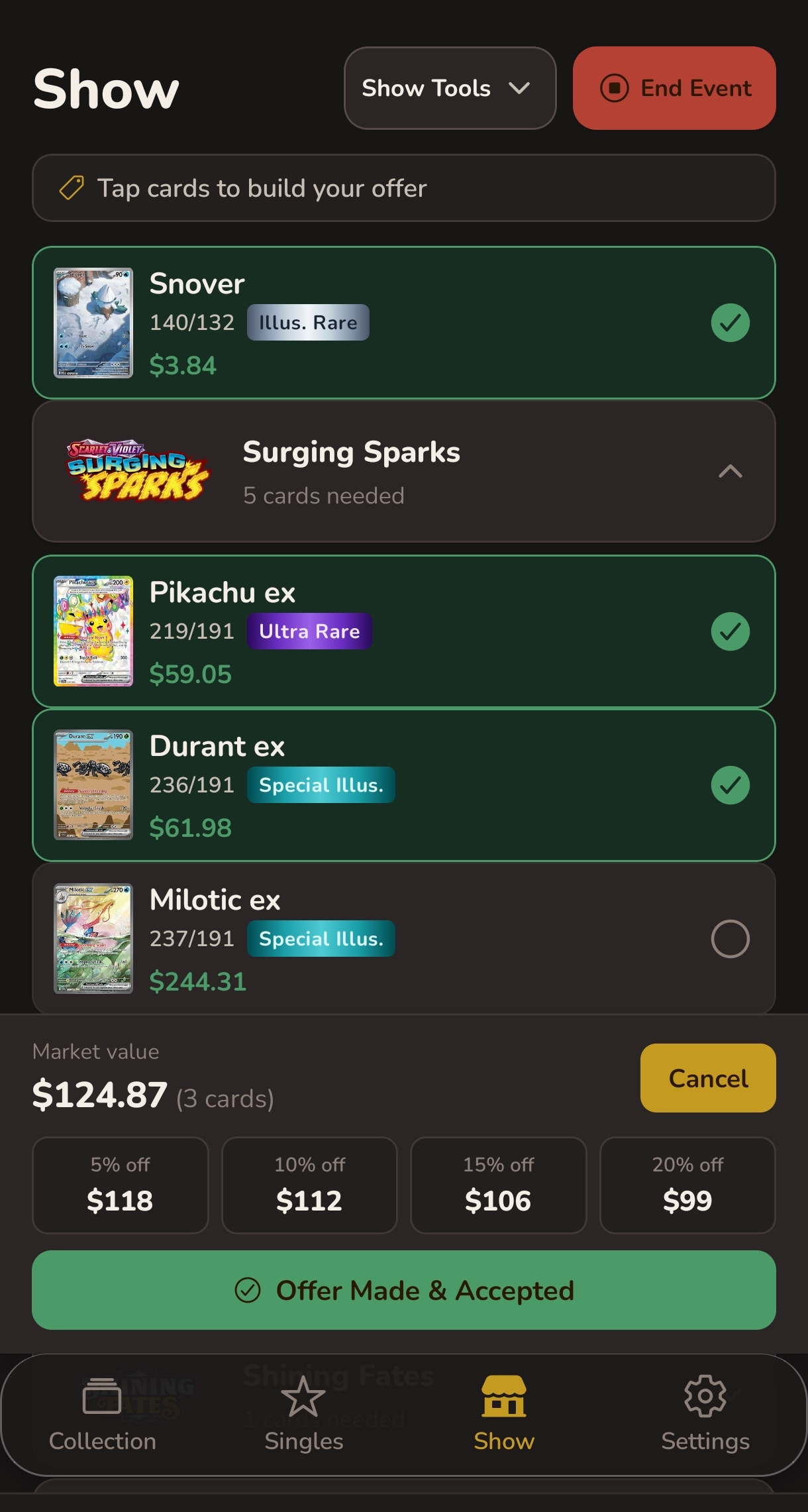
Bundle a deal on the spot
At a table with multiple cards you want? Make an Offer lets you bundle them, see what they're worth together, and agree on a fair price without the guesswork.
-
Select cards to bundle
Tap any cards from your hunt list to add them to the offer. The combined market value updates as you add each one.
-
Instant discount calculations
ShinyFindr shows you the bundle price at 5, 10, 15, and 20 percent off market value. Pick a number, negotiate, confirm.
-
Catch everything at once
Once the offer is accepted, all the cards are caught in one tap and your budget is updated for the total spent.
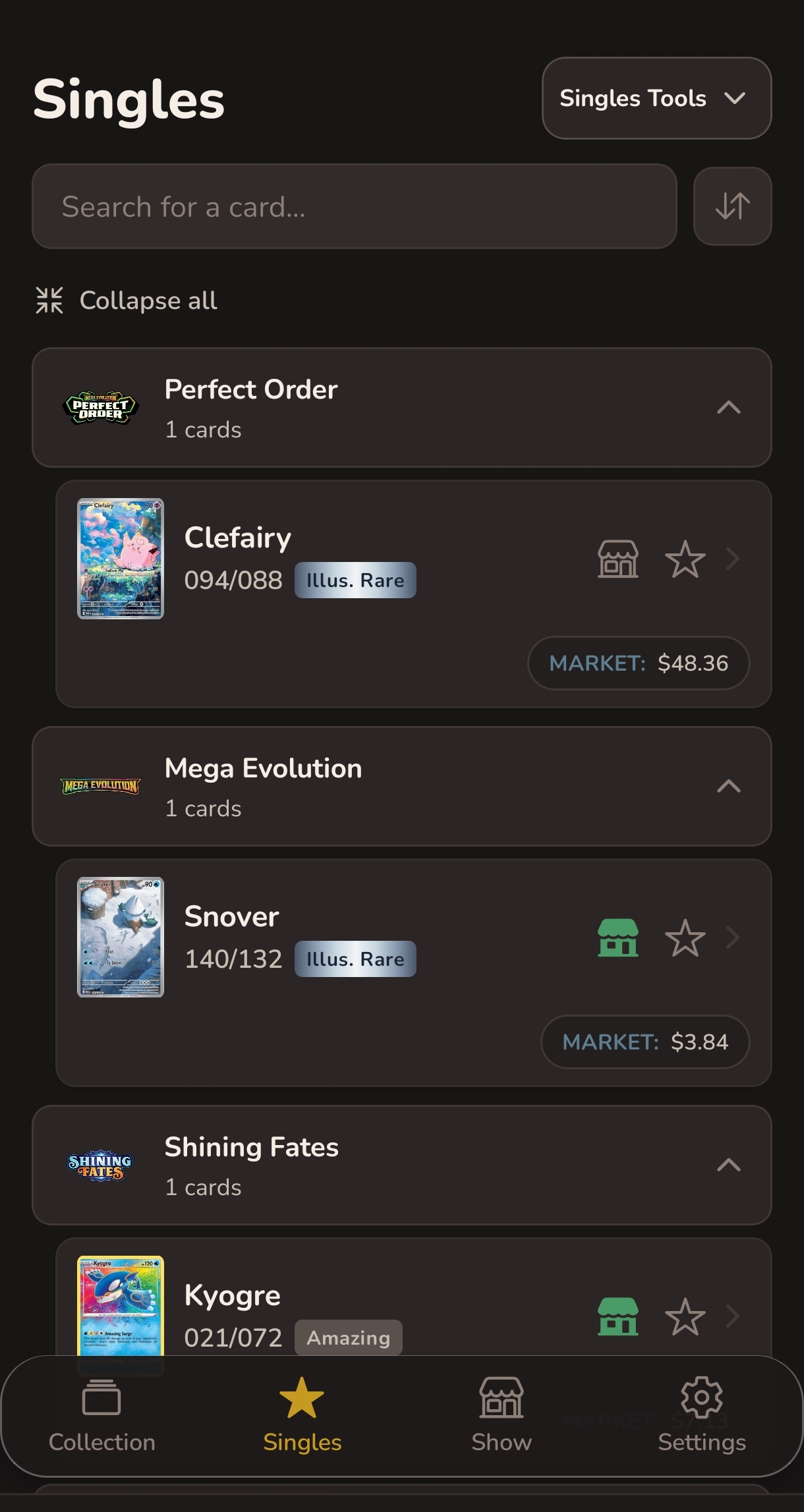
Hunt specific cards
The Singles tab is where you build your targeted want list. Add exactly which cards you're after and set a price ceiling for each one before you go.
-
Search any card
Search by card name across the full Pokemon TCG catalogue. Find the exact print you want and add it to your list.
-
Set a max price
Set a maximum price for each card. At the show, you know instantly whether a seller's price is within range - no second guessing.
-
Organised by set
Your want list is grouped by set so it's easy to scan when you're standing at a table with boxes in front of you.
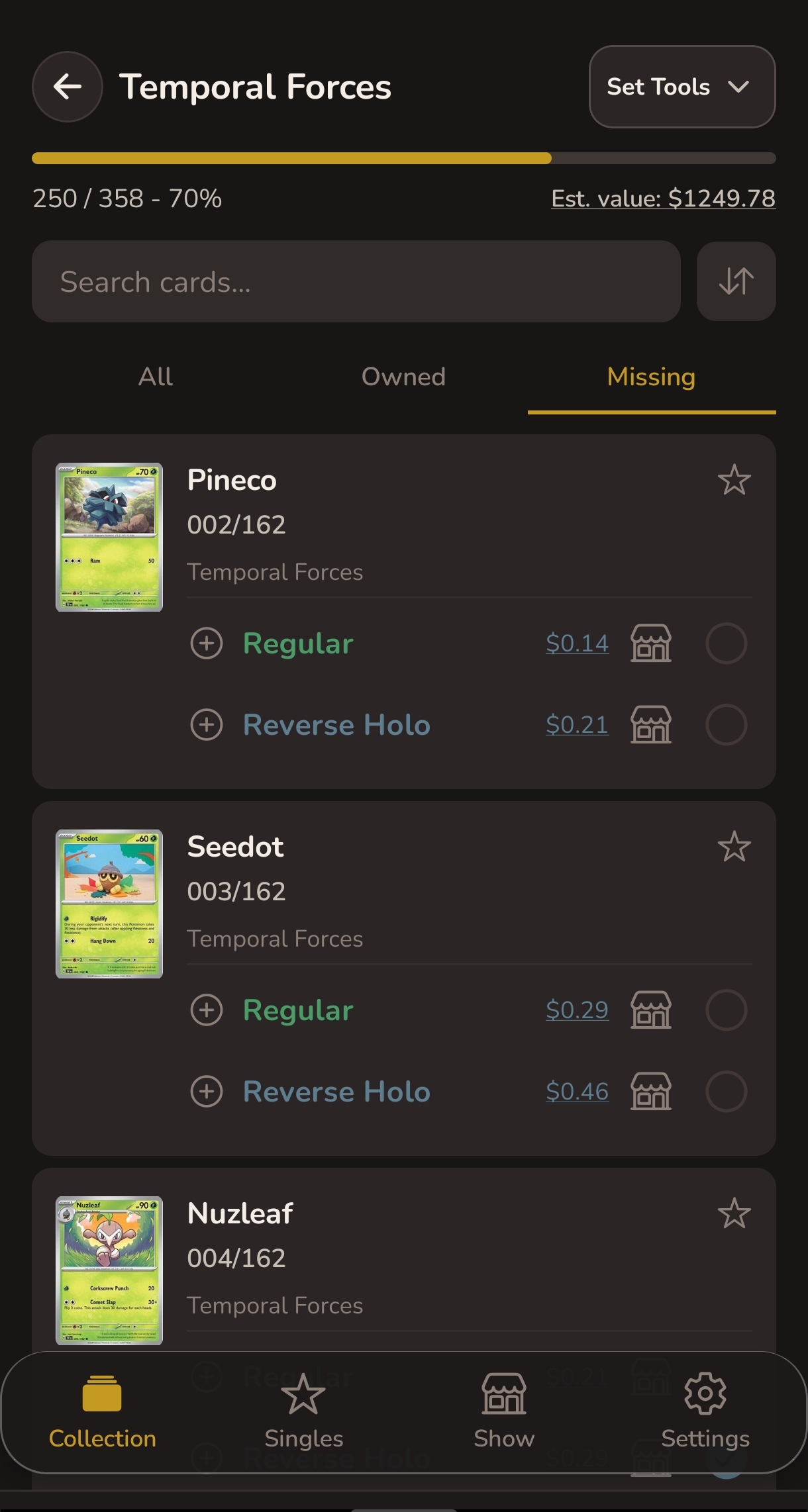
Track what you own
The Collection tab gives you a complete picture of your sets. Follow the ones you're building and see exactly what you're missing - at home and at the show.
-
Follow sets
Browse every Pokemon TCG set and follow the ones you're collecting. Your followed sets feed their missing cards directly into your show hunt list.
-
Missing cards view
Filter any set to show only the cards you're still missing, with market prices shown. Export the list to share with other collectors.
-
Completion and value
See your completion percentage and estimated collection value for every set you follow.
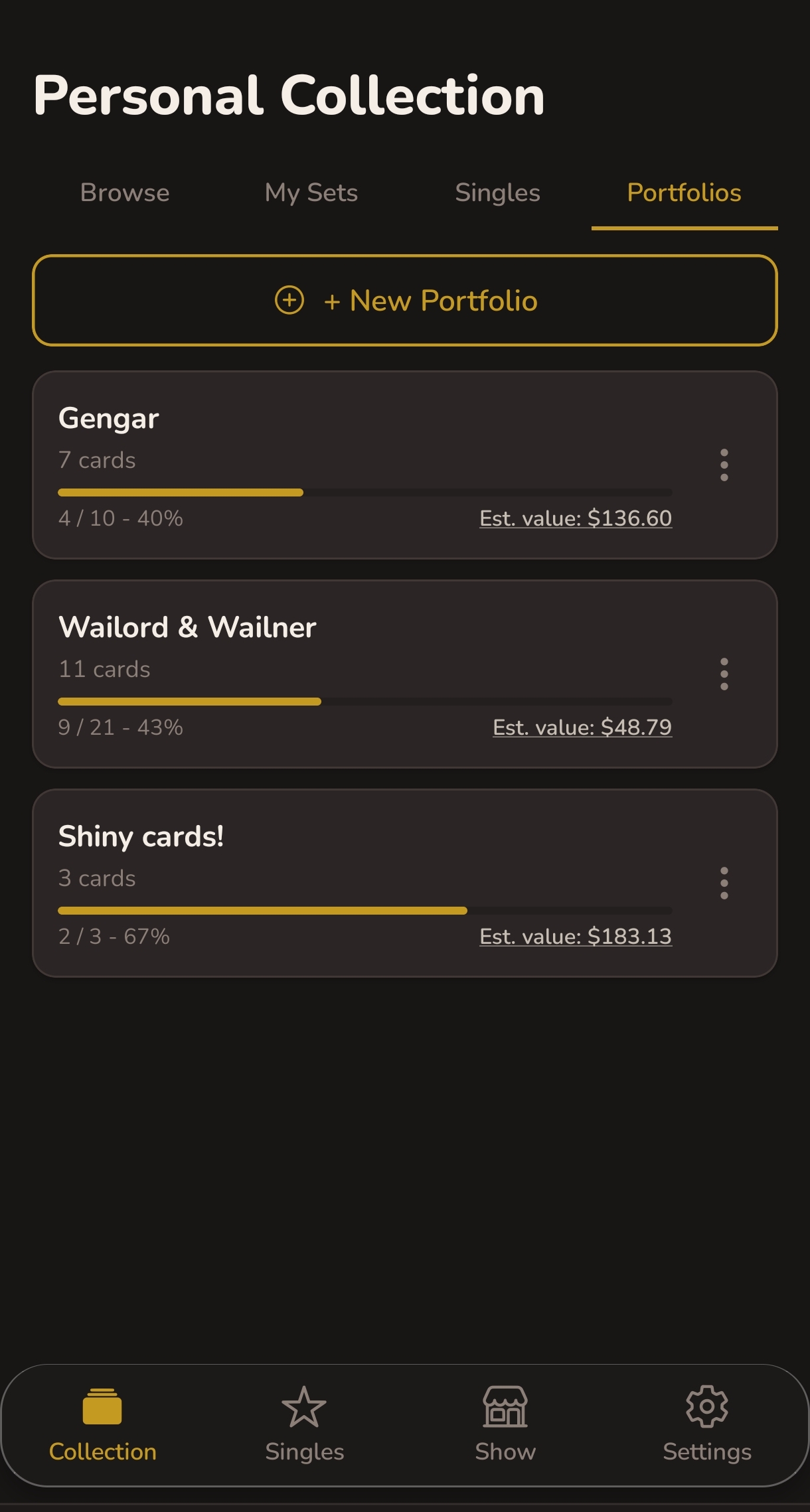
Build collections that go beyond the set list
Some collections don't fit inside one set. Portfolios let you pull cards from anywhere - every Charizard across every set, a run of vintage holos, cards you're looking to trade. You name it, build it, and ShinyFindr tracks the rest.
-
Create as many as you need
Name your portfolio whatever makes sense to you and build as many as you like. Each one is completely separate from your sets and singles.
-
Add any card from any set
Search the full Pokemon TCG catalogue and add individual cards regardless of which set they're from. Mix and match however you like.
-
Tracks ownership and value
Mark cards as owned and ShinyFindr calculates your completion percentage and the estimated total value of what you have.
-
Feeds into your hunt list
Missing cards from your portfolios show up in your show hunt list alongside your sets and singles. Everything in one place on the day.
Ready for your next show?

Android only.